Every Time Zone on One Slider

Skyhour

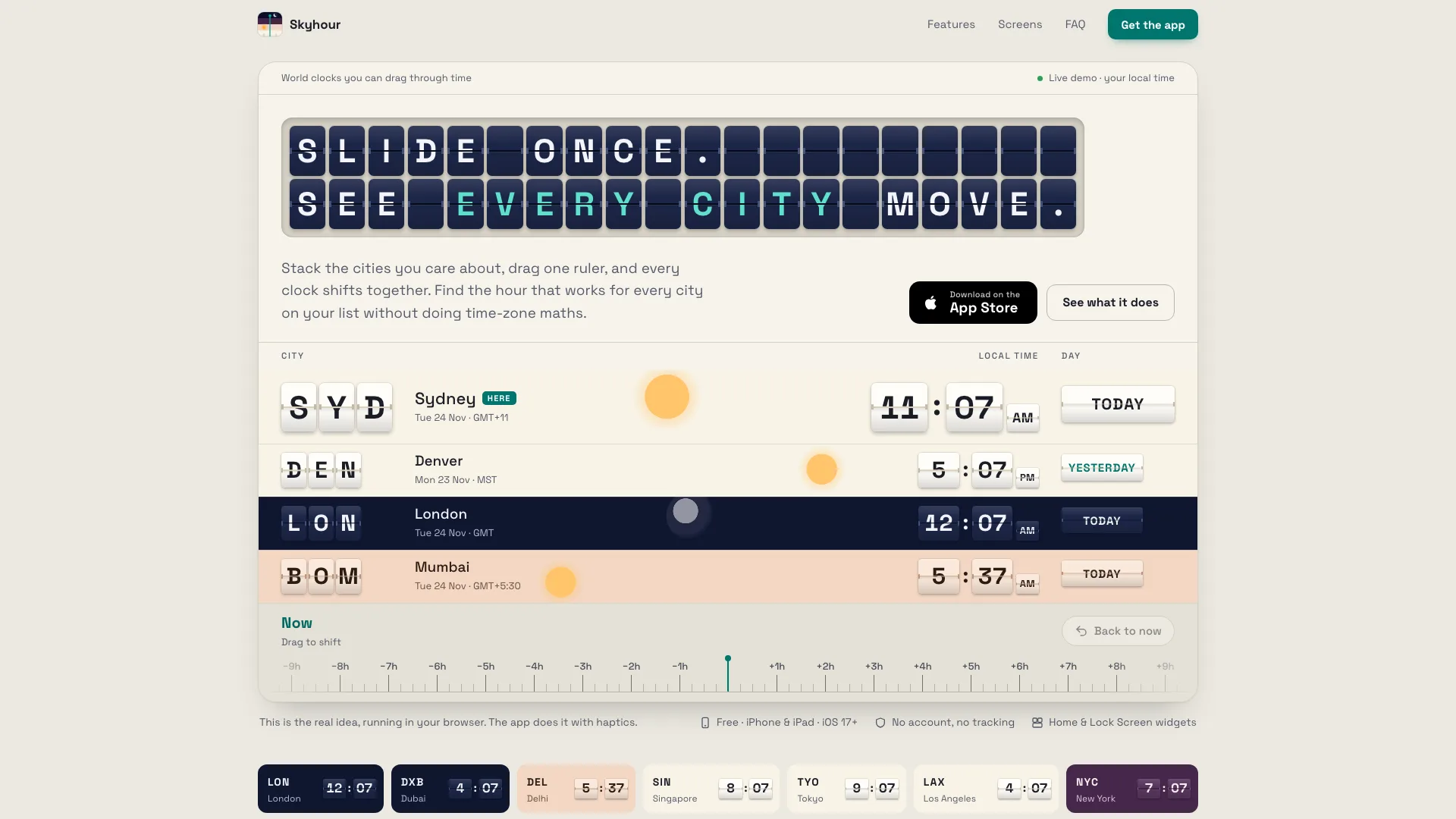
The Skyhour homepage: a split-flap board reading Slide once. See every city move., above a live board of Sydney, Denver, London and Mumbai, each row coloured by its sky, with the ruler along the bottom

Category

iOS App

Client

Personal Project

Year

2026

Role

Designer & Developer

[ Every city, at a glance ]
[ Drag to plan ]
[ Light and dark ]
[ Find any city ]

[ Overview ]

[ iPhone & iPad · 2.5 MB · no data collected ]

A free world clock for iPhone and iPad that I designed and built on my own. Stack the cities you care about, drag one ruler, and every clock moves together, each row coloured by that city's sky.

Skyhour is for anyone who works with people in other time zones. You stack the cities you care about, drag one ruler, and every clock moves together. Each row takes the colour of its city's sky, so you can see who's awake before you call.

It's my own product. I designed and built the app and its website, and shipped it to the App Store on 20 November 2026, with version 1.1 the next day.

Project Information

[ iOS App ]

[ The Challenge ]

Answer "what time is that for them?" without doing the maths.

A world clock tells you what time it is now. Planning a call means adding and subtracting offsets in your head, remembering which city is already on tomorrow, and catching the weeks when daylight saving moves one side and not the other. The app had to answer all of that with one gesture.

[ The Approach ]

One ruler moves every clock, and each row wears its city's sky.

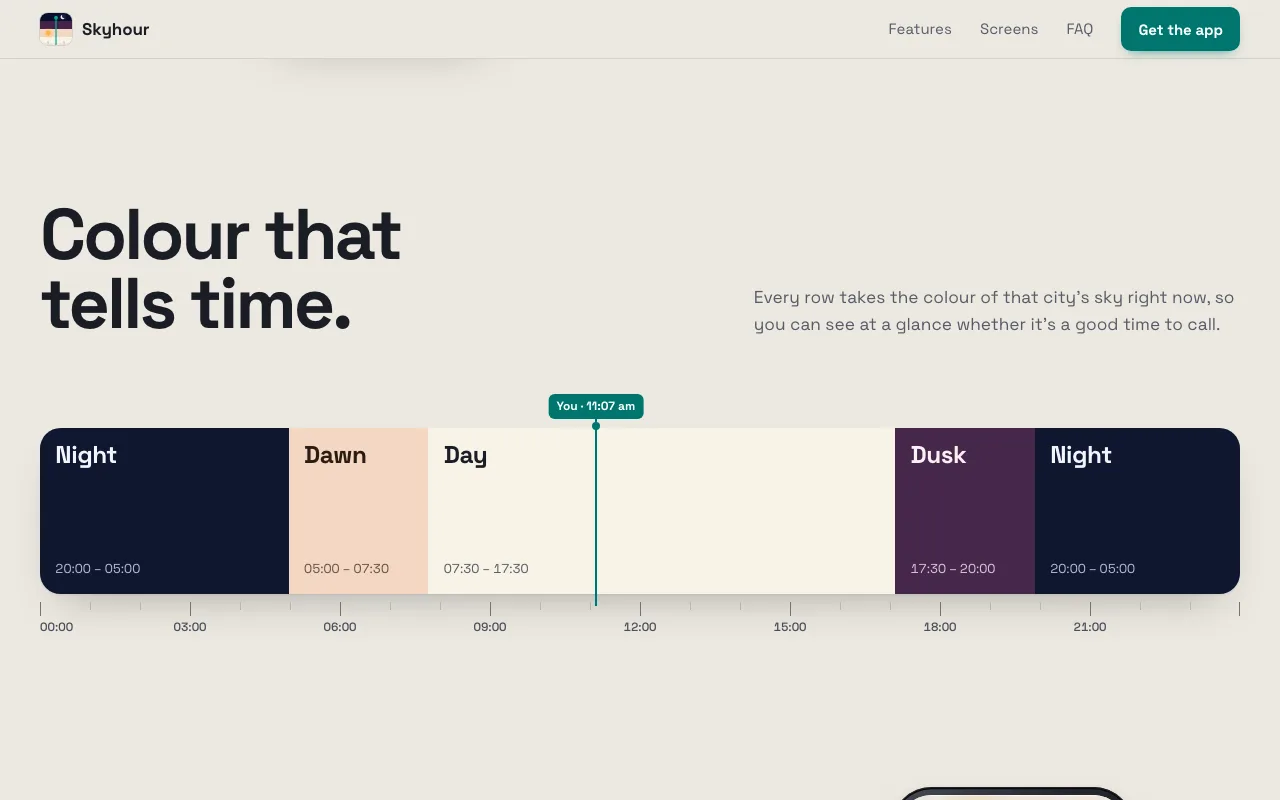
The ruler drags up to 24 hours either way, snaps to 15 minutes and gives a haptic tick on every hour. One tap brings it back to now. Each row is coloured night, dawn, day or dusk for its city's time, with a sun or moon gliding across as you scrub. Your own city stays pinned on top, tagged HERE, and follows you when you travel.

The time maths goes through Apple's own time-zone database, so daylight saving gaps and overlaps come out right. A row shows Yesterday or Tomorrow when its city is on a different day, and warns you two weeks before its clocks change. Search covers every iOS time zone plus about 200 city names that share a zone with a bigger city, like Shenzhen on Shanghai time or Boston on New York time.

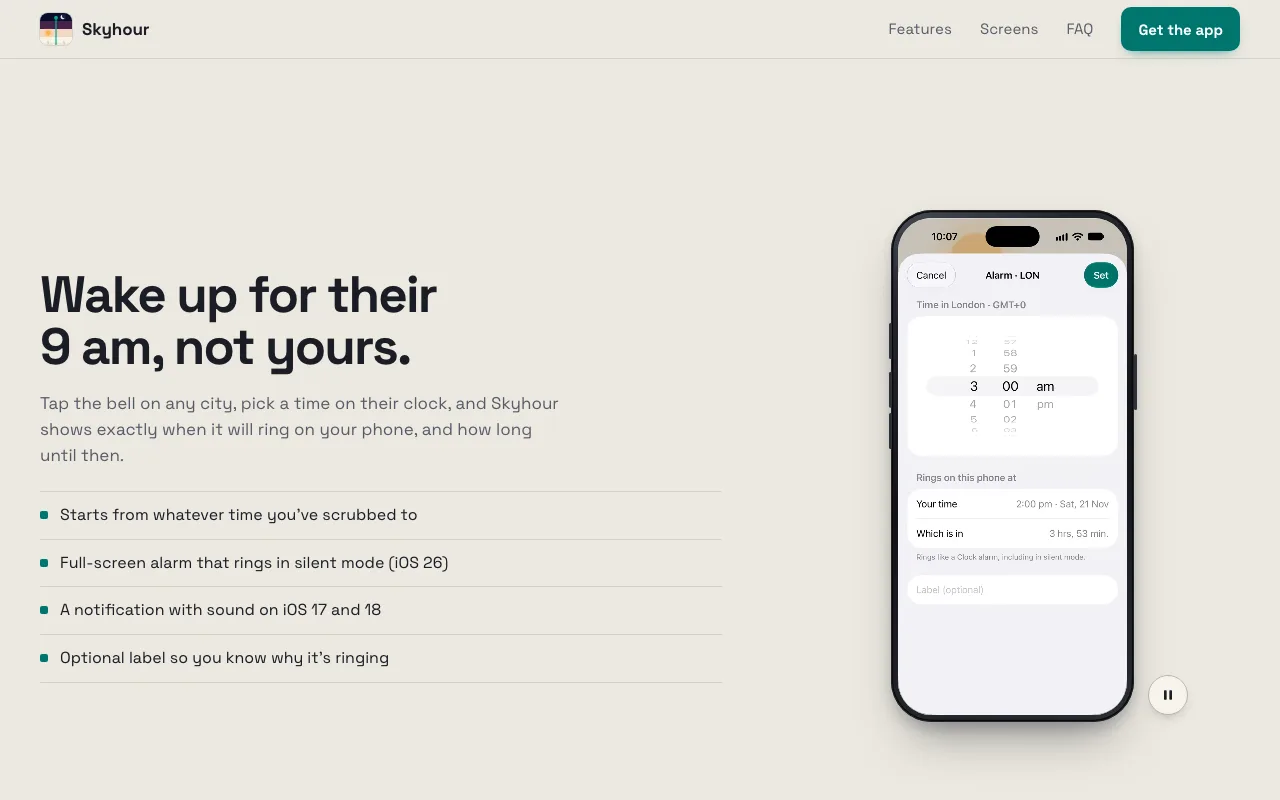
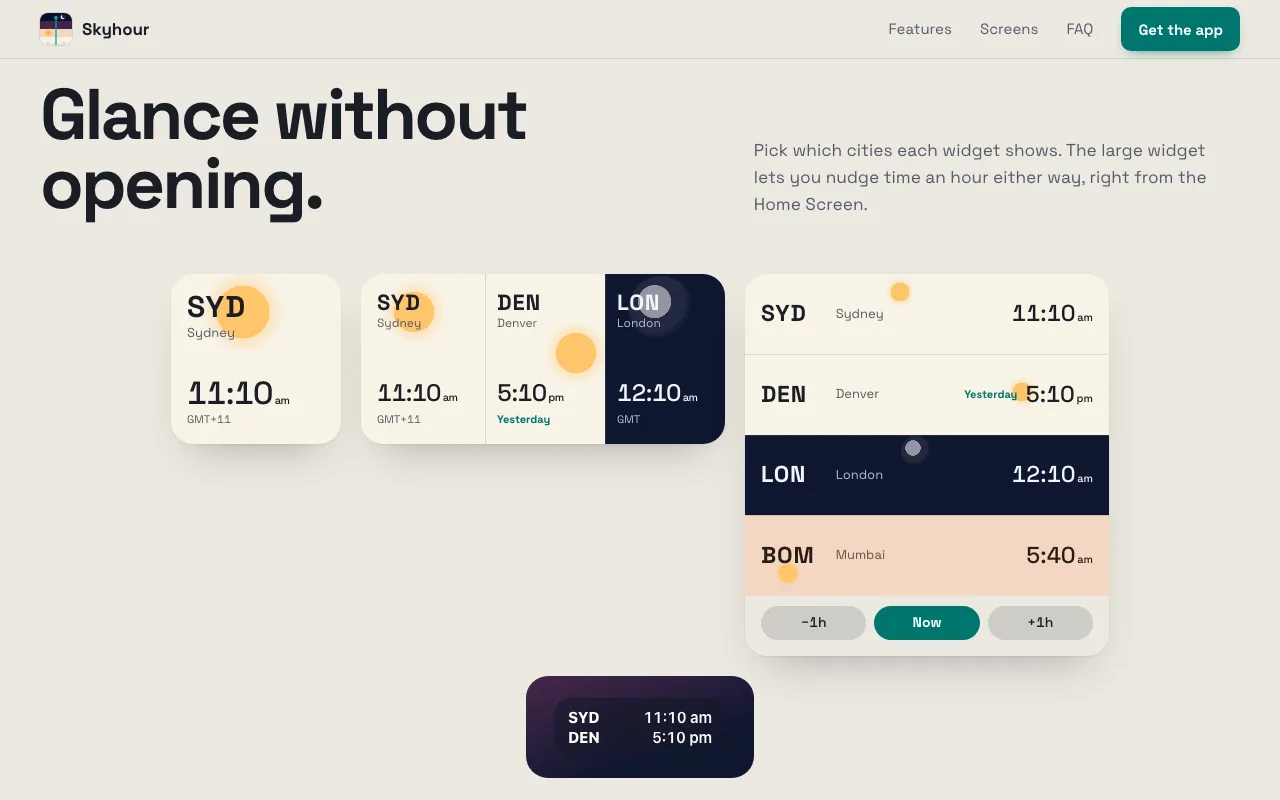
You can set an alarm in another city's time. On iOS 26 it rings as a real alarm, even in silent mode, and on iOS 17 and 18 it arrives as a notification with sound. Widgets on the Home Screen and Lock Screen show your cities without opening the app, and the large one nudges time an hour either way.
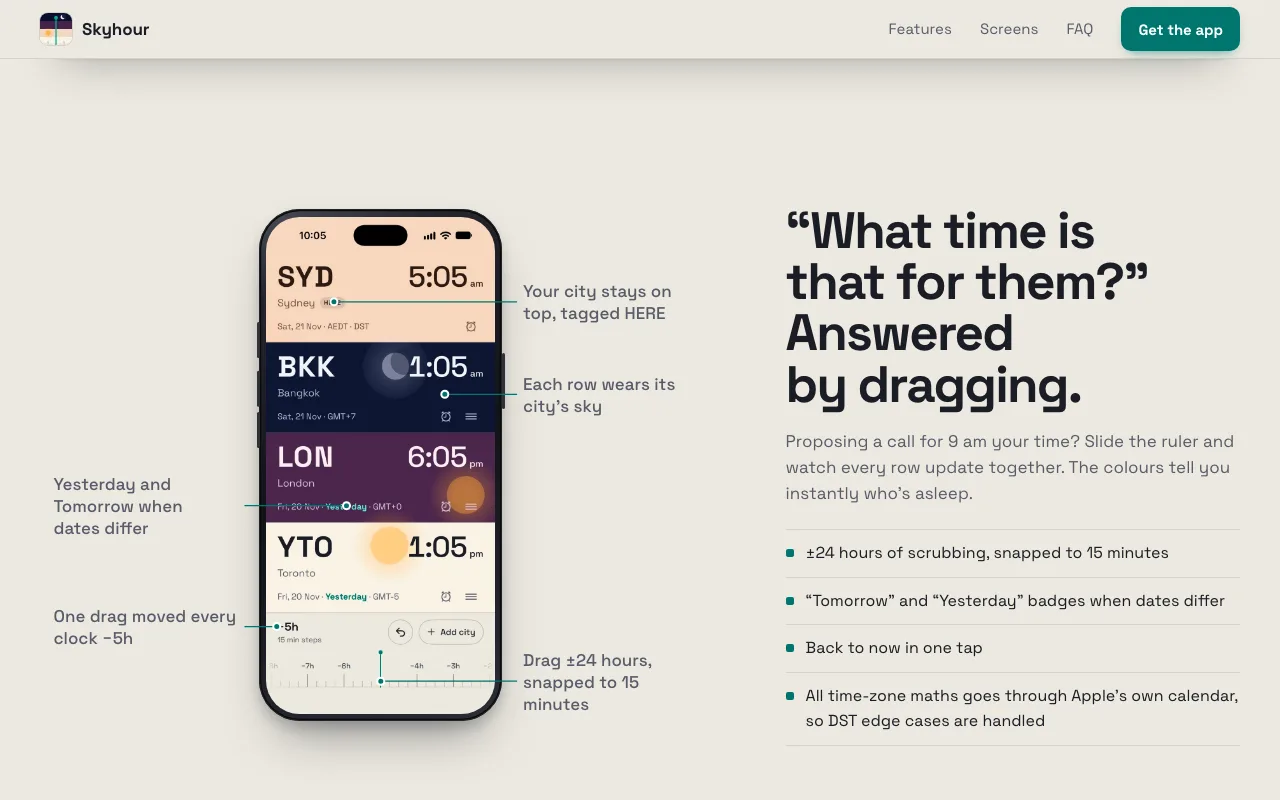
The app with callouts: your city stays on top, each row wears its city's sky, Yesterday and Tomorrow badges, and the ruler that drags 24 hours either way in 15-minute steps
[ Answered by dragging ]
A 24-hour band split into night, dawn, day, dusk and night, with a marker at the viewer's current time
[ Colour that tells time ]
Wake up for their 9 am, not yours: the alarm sheet for London beside a list of what alarms can do
[ Alarms in their time ]
[ Setting an alarm ]

[ The Outcome ]

On the App Store at 2.5 MB, and it collects nothing.

Skyhour is free for iPhone and iPad on iOS 17 or later. There's no account, no server, no analytics and no third-party SDK, and the app makes no network requests, so its App Store privacy label reads Data Not Collected. It started life as Time Slider, and its bundle ID still says so. Version 1.1 brought a teal look, from the ruler to the app icon, and a short guide on first launch.

The website is a single hand-written HTML page on Vercel. Its hero is a working demo: a split-flap headline over a live board of cities in your local time, with a ruler you can drag. The screen recordings on this page are the ones it plays.

[ Swipe and drag ]
Glance without opening: small, medium and large Home Screen widgets and a Lock Screen widget, each showing city times
[ Widgets ]
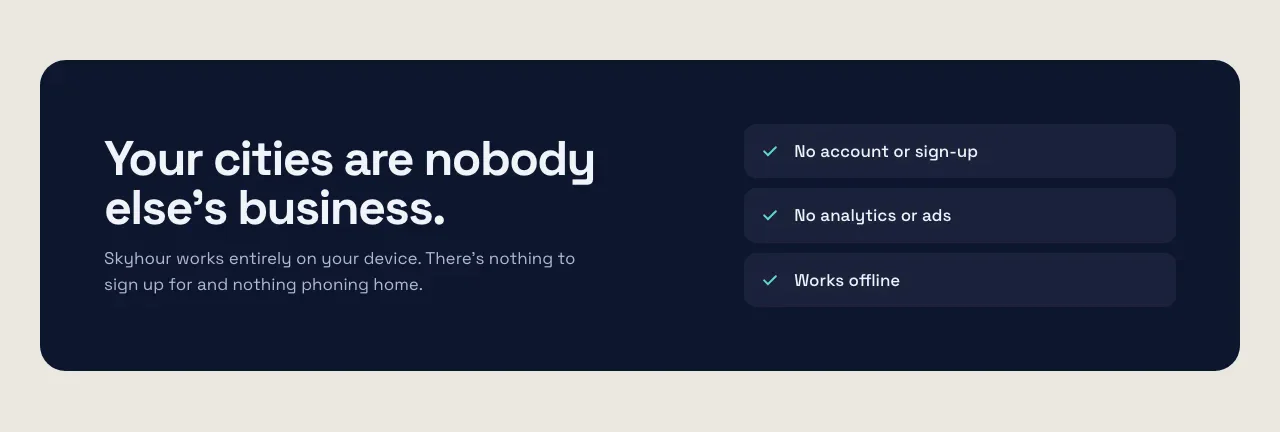
Your cities are nobody else's business: no account or sign-up, no analytics or ads, works offline
[ Private by design ]

[ In the App ]

  • One ruler, up to 24 hours either way, in 15-minute steps

  • Rows coloured night, dawn, day or dusk by each city's local time

  • Alarms in another city's time, a full alarm on iOS 26 even in silent mode

  • Every iOS time zone, plus about 200 extra city names

  • Home Screen and Lock Screen widgets

  • No account, no server, no analytics, no network requests